Yesterday, your agent touched 3,000 lines of code.
3,000Lines the agent touchedvs0Lines you can explain
We learned to hand our code to agents. Then something strange happened —
the code moves faster than ever, and understanding it moves slower than ever.
We gained speed. We lost memory.
Today, we're announcing three things.
A ledger that writes down every agent's work — by itself
A bench that shows every change, on the spot
A console that holds the agent itself
A ledger. A bench. A console. Notice something —
This isn't three products. It's one.
Ocul-PM
First · The Ledger
Recording should be free.
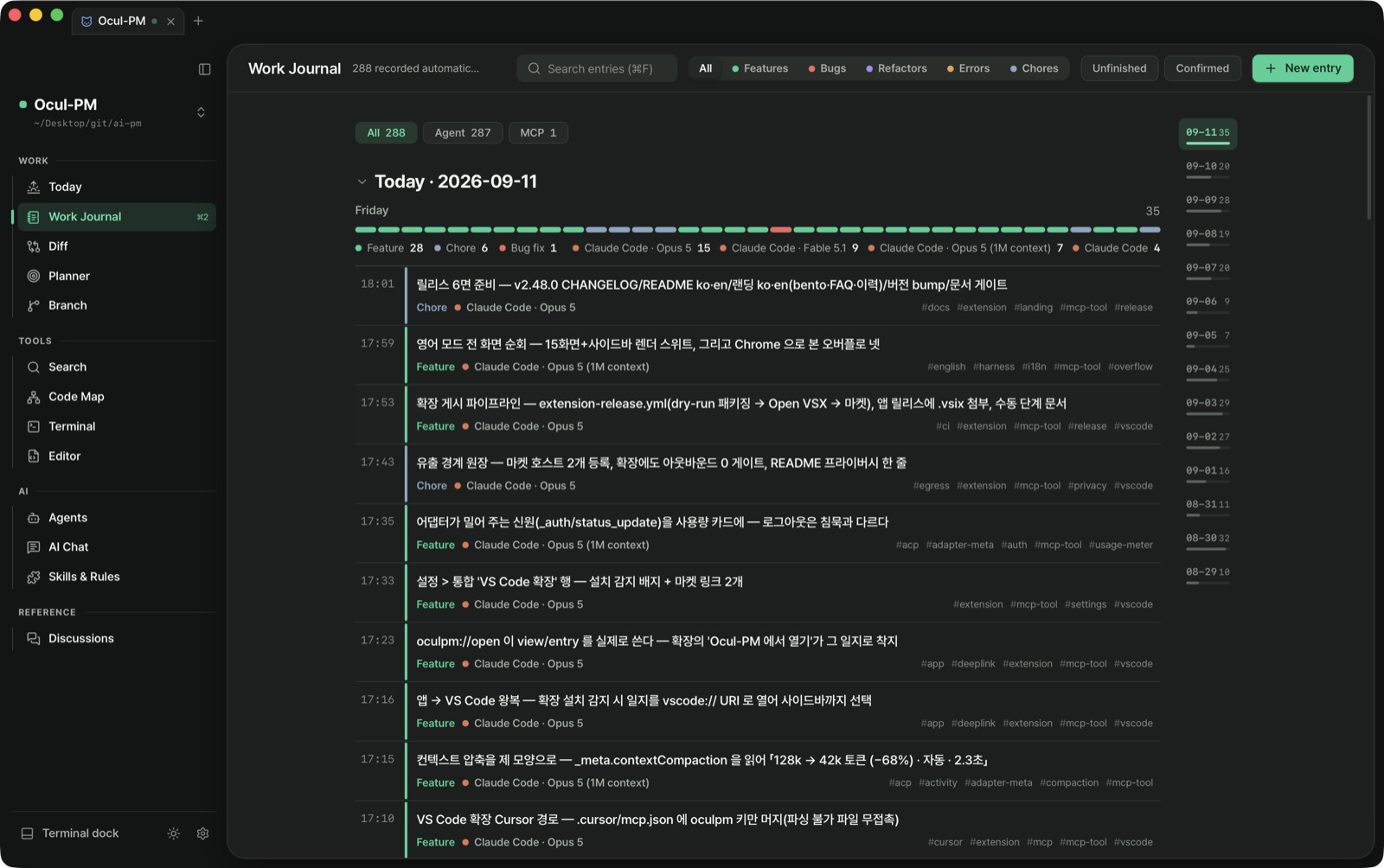
The moment an agent finishes, the entry is already written.
What changed and why, which agent used which model, which files moved —
sorted into bug, feature, refactor, error or chore, as markdown a human can read.
Automatic work journal. Not what you did — what the agent did, written by itself.
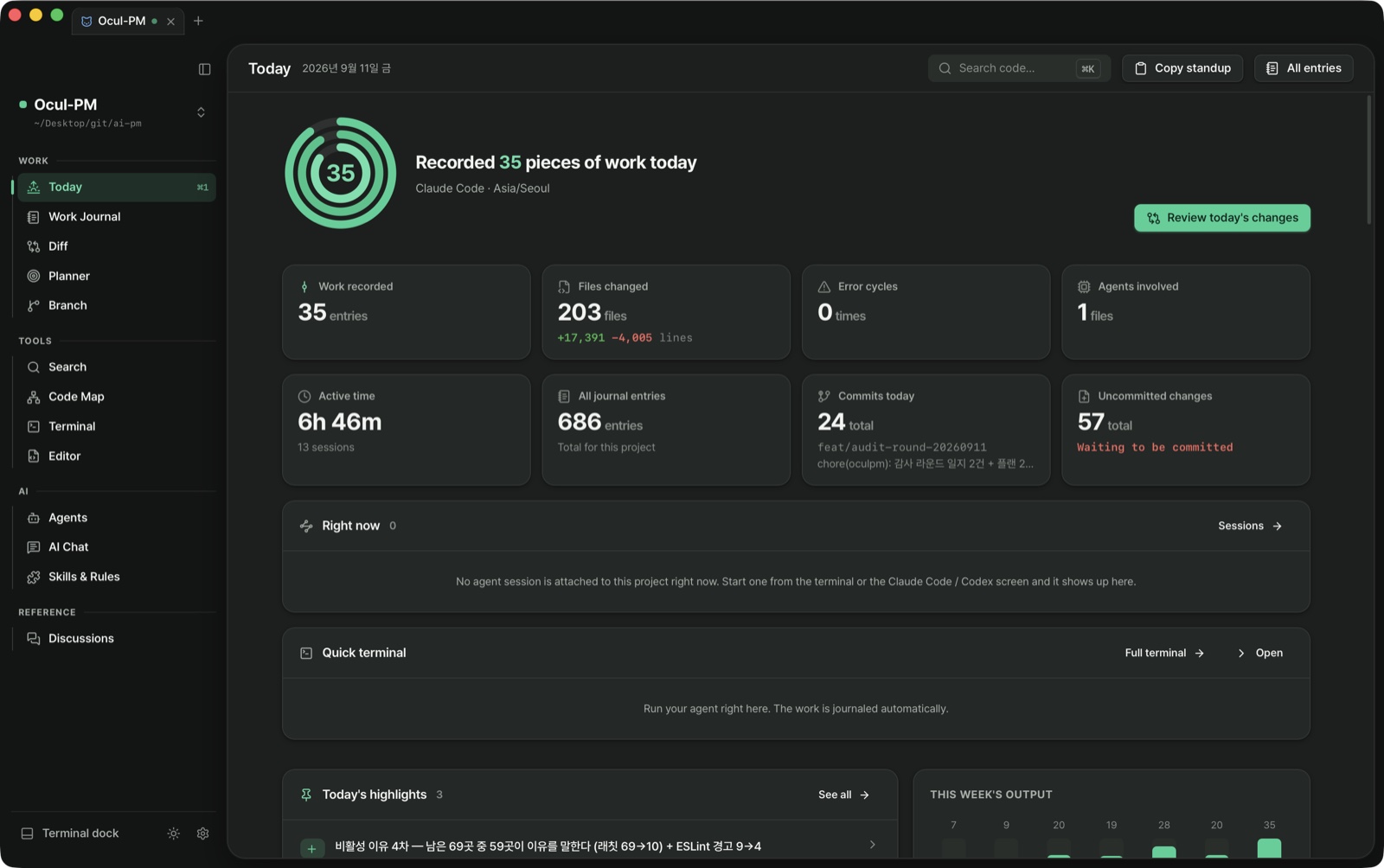
Open it in the morning, and yesterday is already sorted.
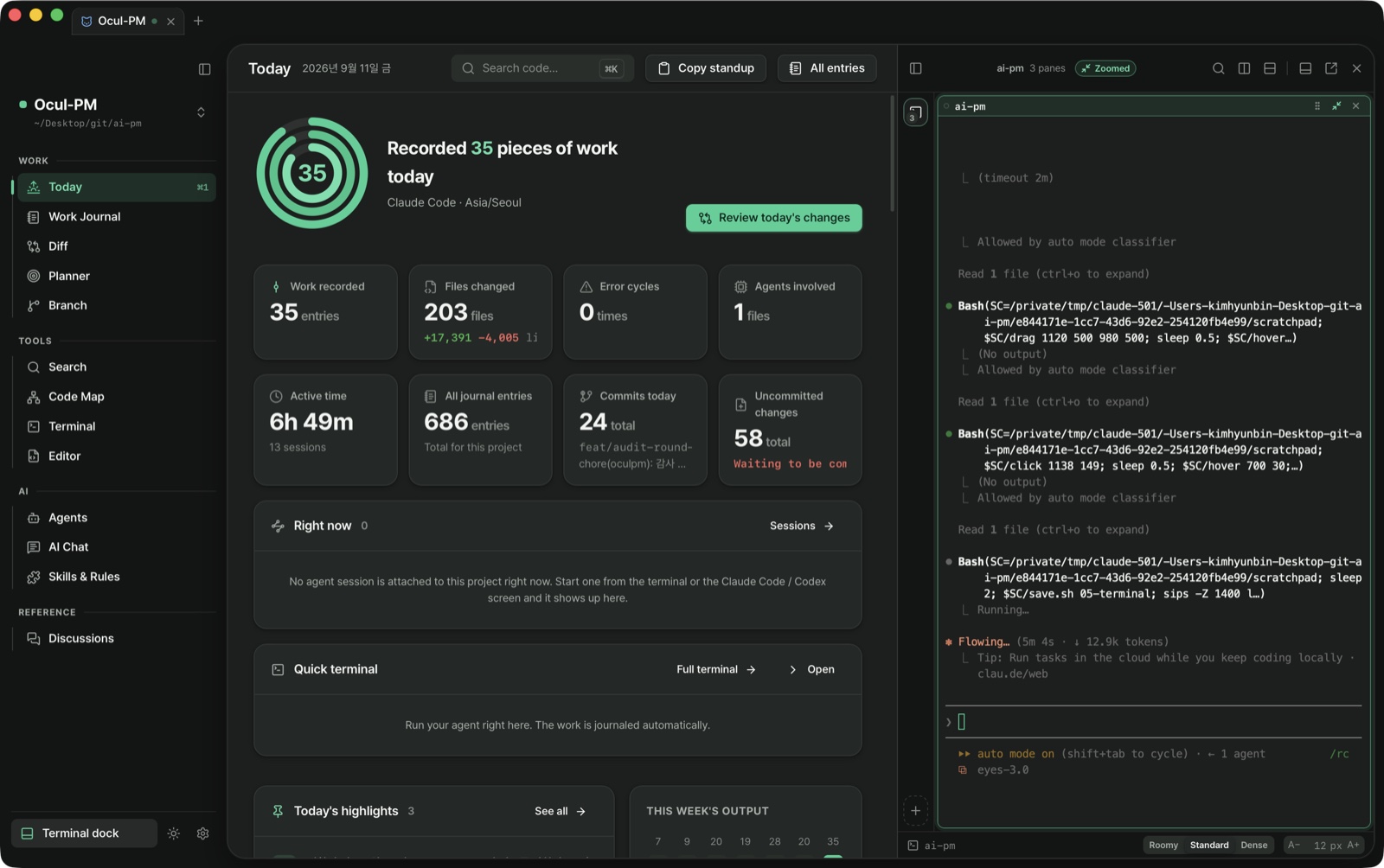
The Today screen briefs yesterday's work, commits and plan on one page. The standup is one copy button.
The Today brief. And the record becomes output — PR bodies, weekly reports, AI retros. All one button.
The rearview mirror becomes the wheel.
Second · The Bench
Don't trust it. Look at it.
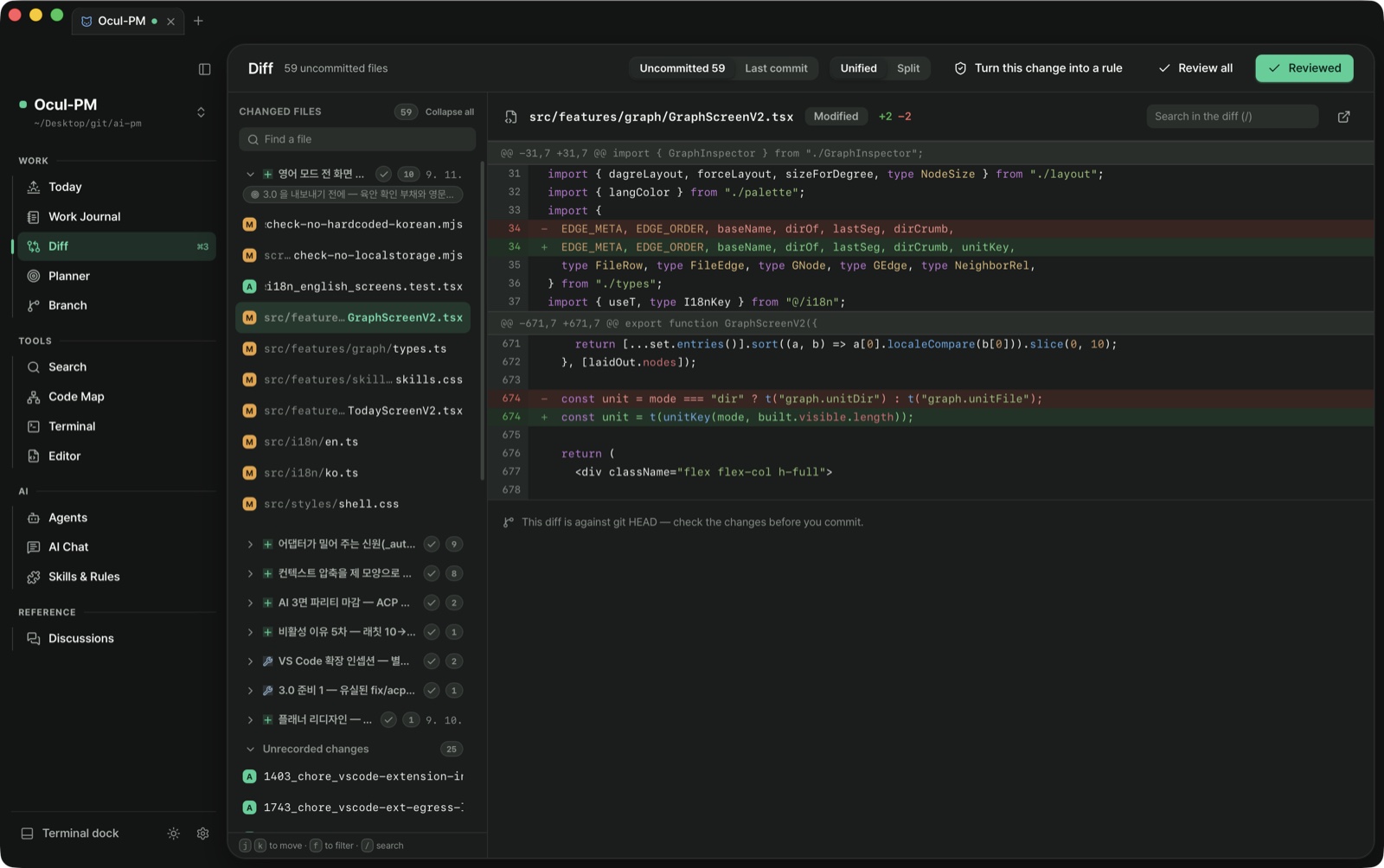
The files an agent says it touched — check them as a diff inside the app before you commit.
Review the whole thing with the keyboard alone.
The change diff. Right beside the journal — what it said it did, next to what actually changed.
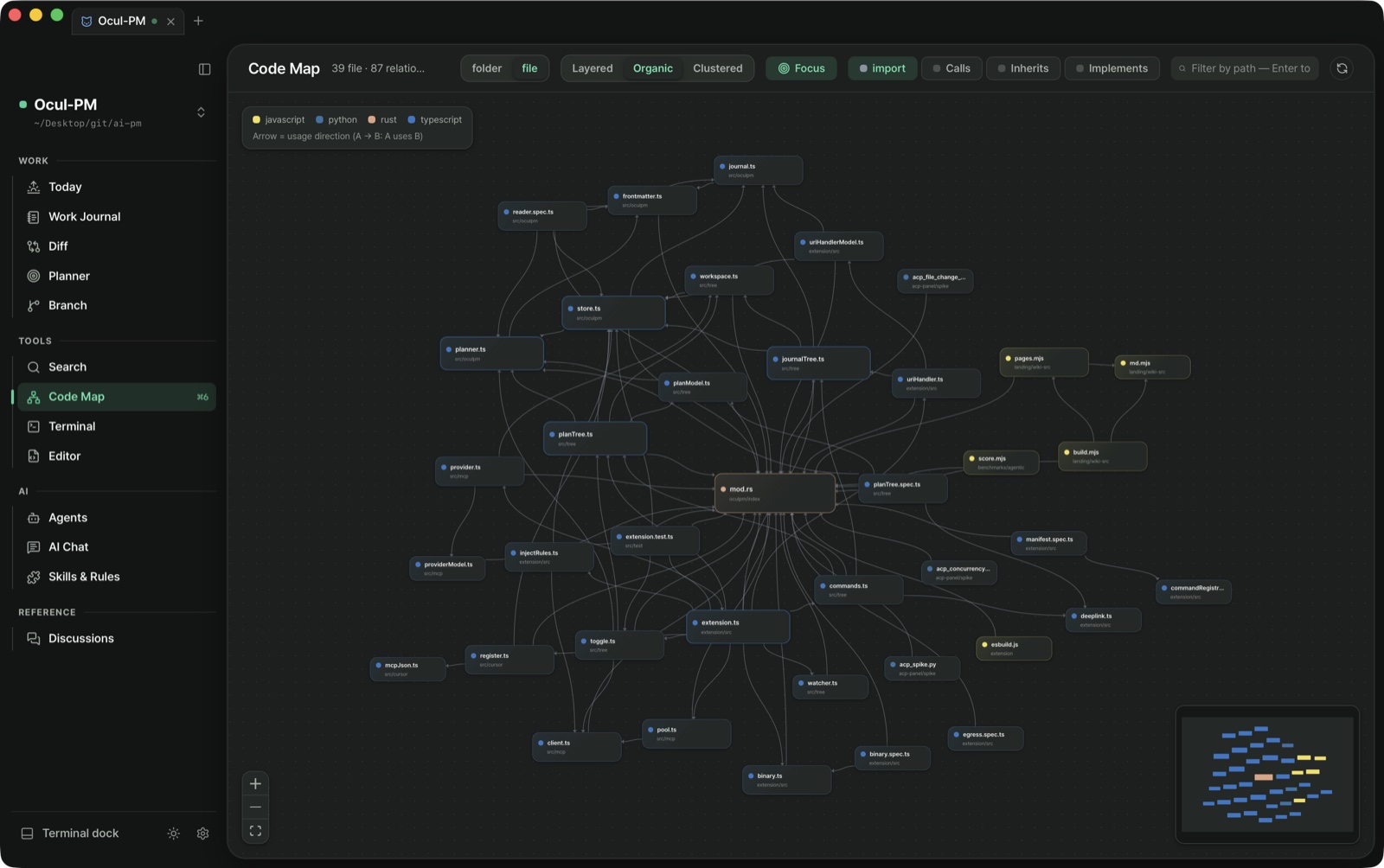
Know the blast radius before you touch it.
The code map lays out imports, calls and inheritance as a graph. Pick one file, and "touching this affects 12 files" shows up first. Search works three ways: by meaning, by symbol, by text. Embeddings are computed locally. Not one character of your code leaves the machine.
Code map. When you can see the dependencies, the fear goes down.
Third · The Console
So we brought the agent inside.
The real Claude Code runs inside the app.
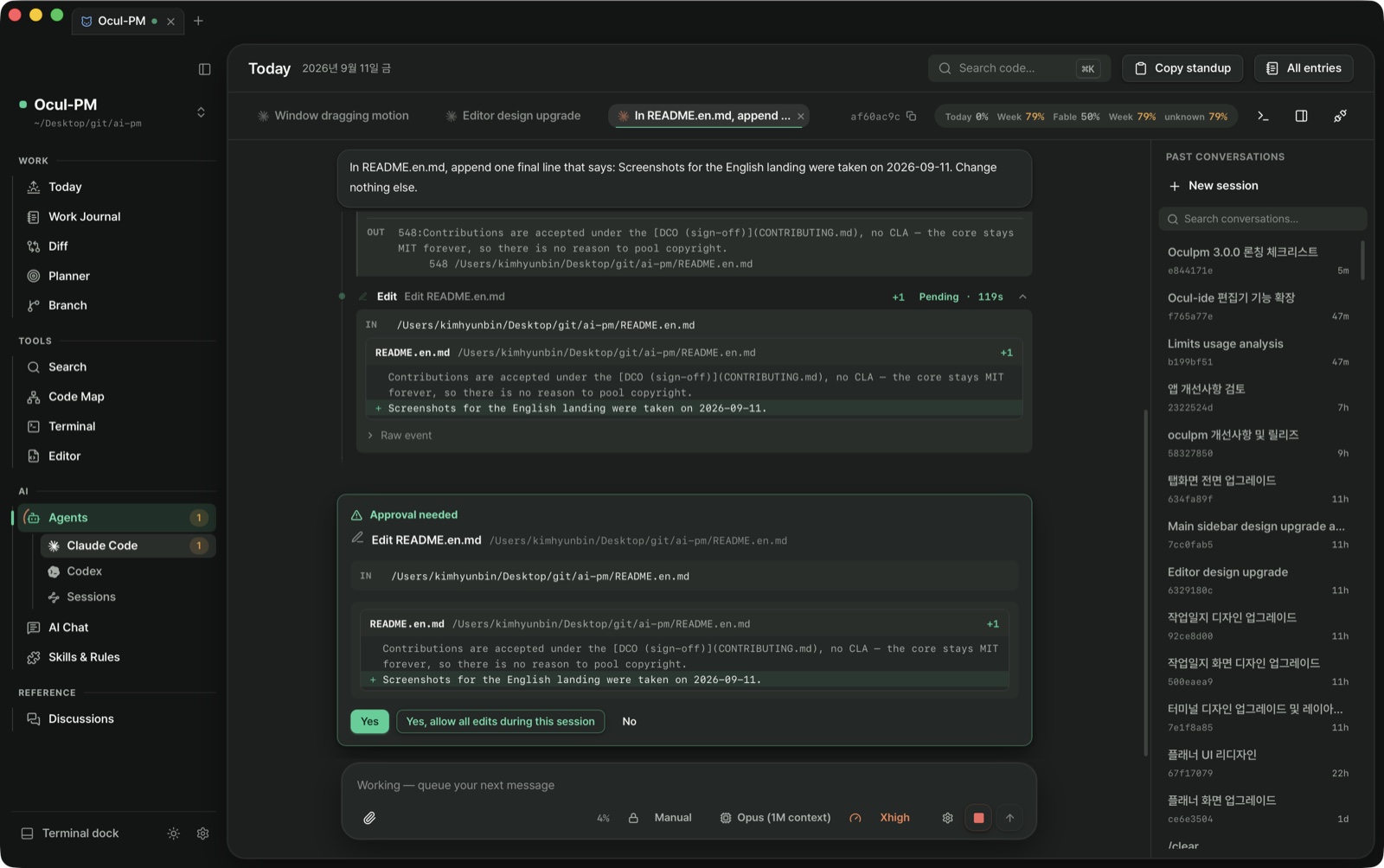
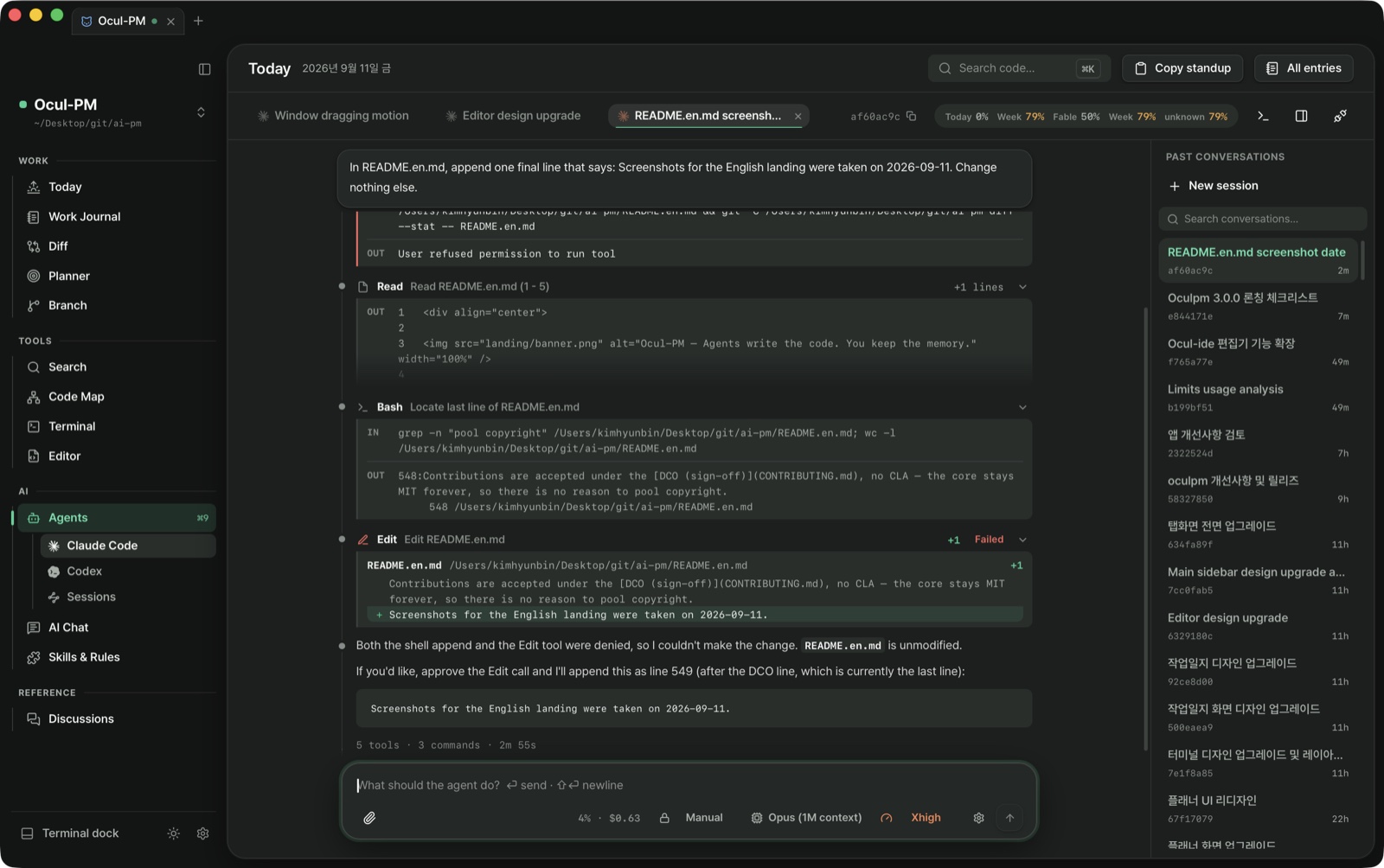
Every step — reading a file, editing it, running a command — flows by as a card.
And as of v2.11, you can see what it's changing. Deleted lines in red, added lines in green.
Visible approval. What you're allowing is right there in the card — the era of clicking on a title alone is over.Turn receipt. When a turn ends, one line remains — 7 tools · 3 files · 1m 12s. Fitting, for an app built to keep records.
And ⌘J.
The terminal comes up from any screen — docked below, to the left, to the right, or torn off as its own window. The shell never disconnects.
Built-in terminal. While reading a journal, while checking the plan — without ever leaving the screen.
One more thing…
Where does your data live?
NoneAccountNoneServerNoneTelemetry
It's all in one folder in your project — as markdown a human can read.
Delete the app, and the memory stays. Because it's yours.
.oculpm/
├─ journal/ work journal — .md by date and type
├─ planner/ a living plan, .md
├─ discussion/ pre-decision discussion, .md
└─ agents/ agent recording rules
What you need to start —
Nothing.
No sign-up, no setup, no cost. Download it, and that's all there is. macOS (Apple Silicon).